Accessibility audits your clients can read.
Check client sites against WCAG 2.2 and send the report under your agency's name.
Uses axe-core plus our own WCAG 2.2 checks. No account needed.
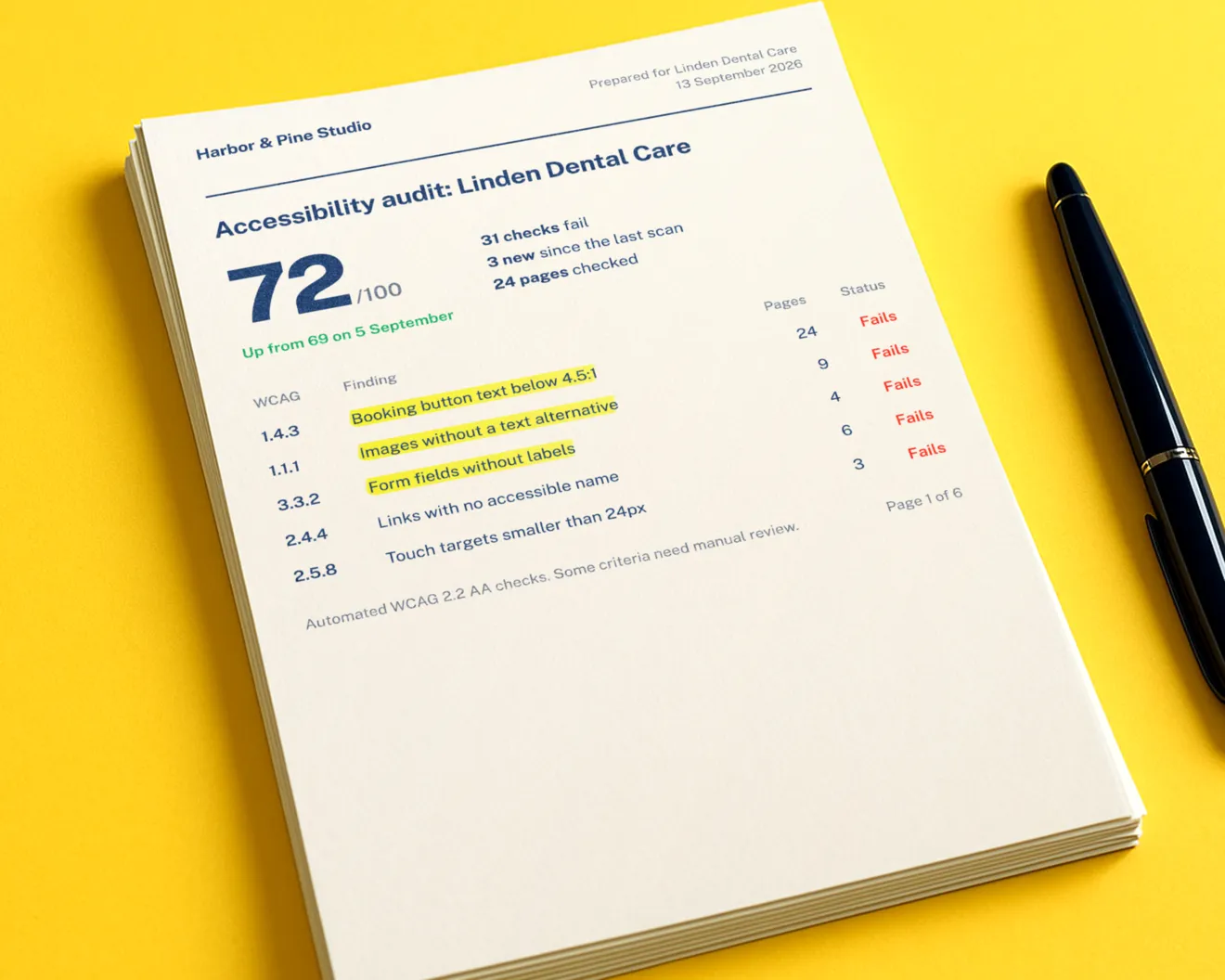
See what fails on the page, not just in a list
Every finding points to the element on your client's page and carries its WCAG criterion, so a developer can find it and a client can see it.
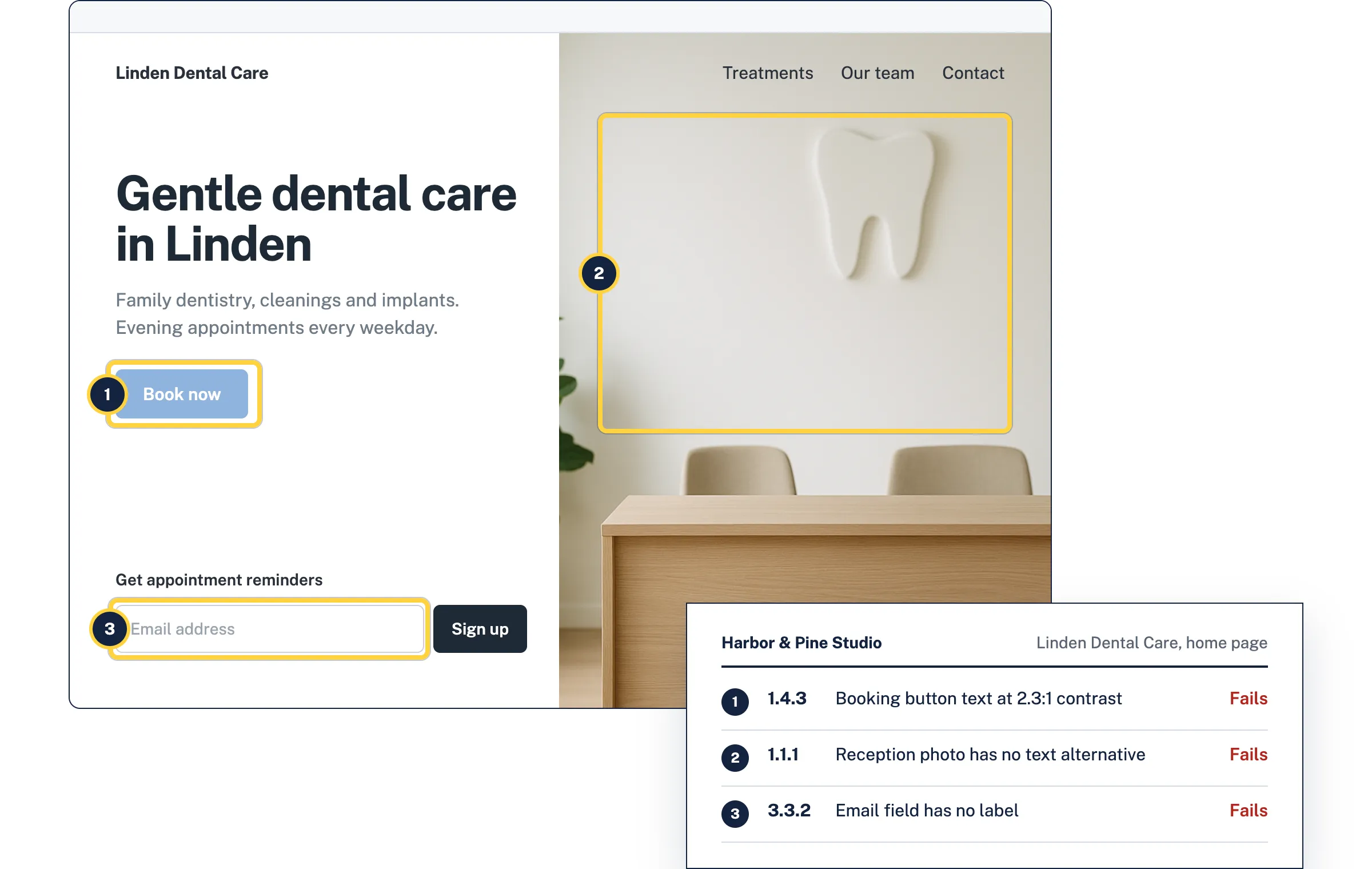
Each finding comes with the fix
Every finding names the WCAG criterion, points to the element that fails and explains the change. On paid plans, AI writes the fix for your client's markup.
1.4.3 Contrast (Minimum)
White text on the booking button measures 2.3:1. WCAG 2.2 AA needs 4.5:1.
Current
2.3:1
Suggested
6.3:1
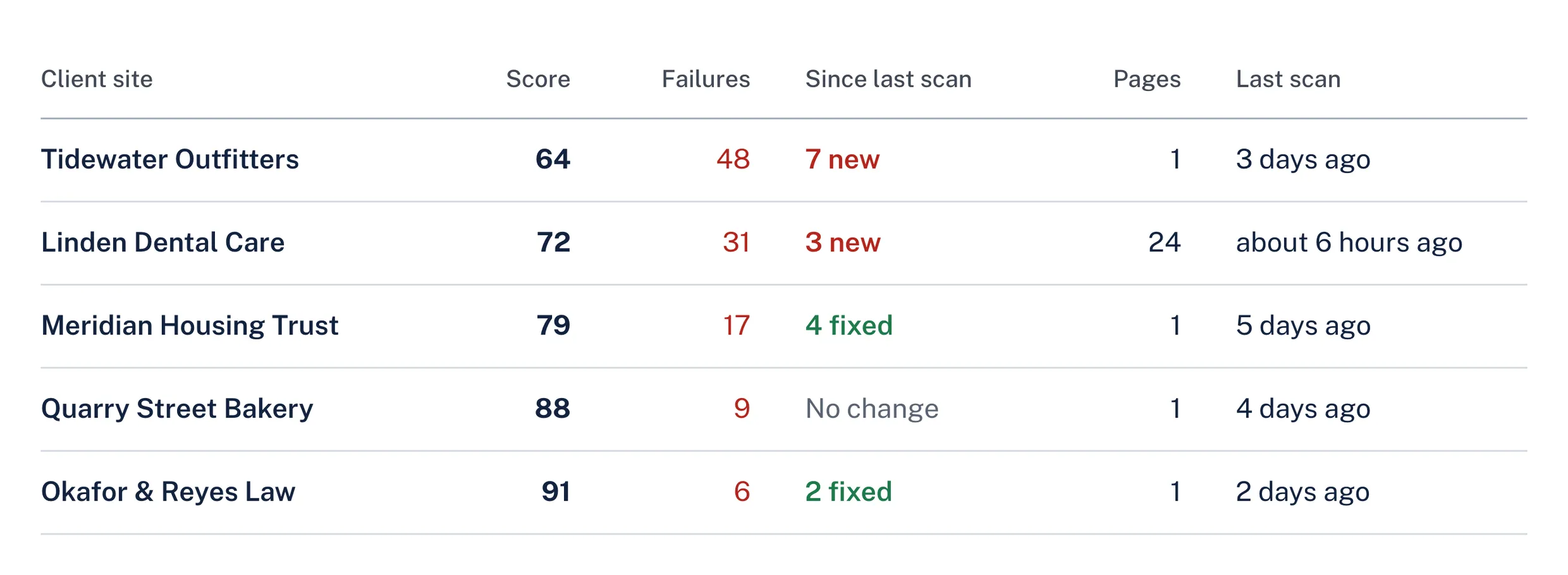
styles/booking.css- background: #8FB4DE;+ background: #1B5FAA;Every client site in one list
Add every client to one account, rescan them on a schedule, and see which sites got worse before your clients do. How monitoring works
Run your first audit on a client site
Free, no account needed, results in about a minute.